
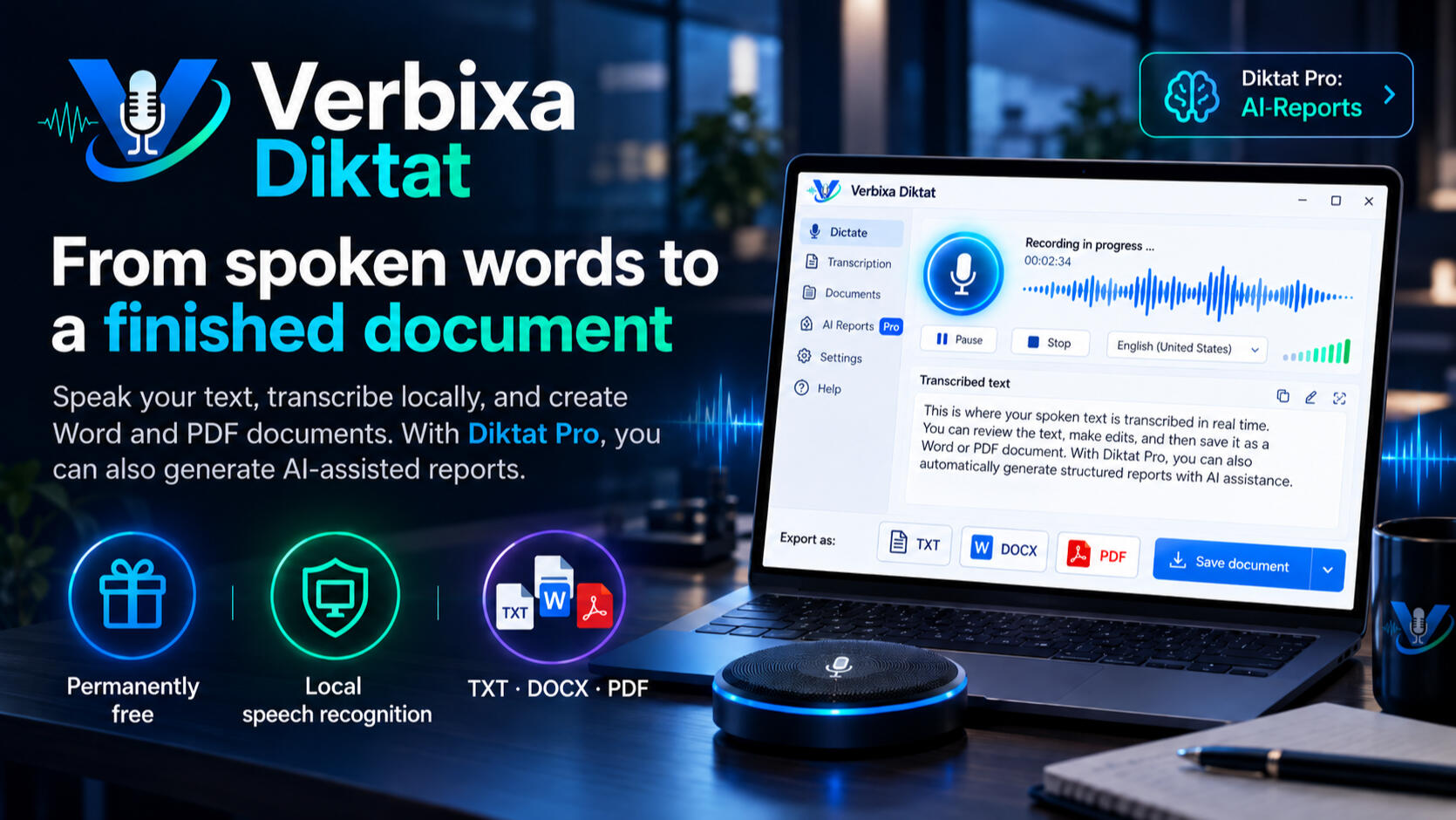
From Spoken Words to a Finished Document
Verbixa Diktat transforms your speech into editable text, Word documents, and PDFs – featuring local speech recognition, a permanently free version, and optional AI-powered document creation with Diktat Pro.
You speak. Verbixa writes.
It's that easy to turn your speech into a finished document.
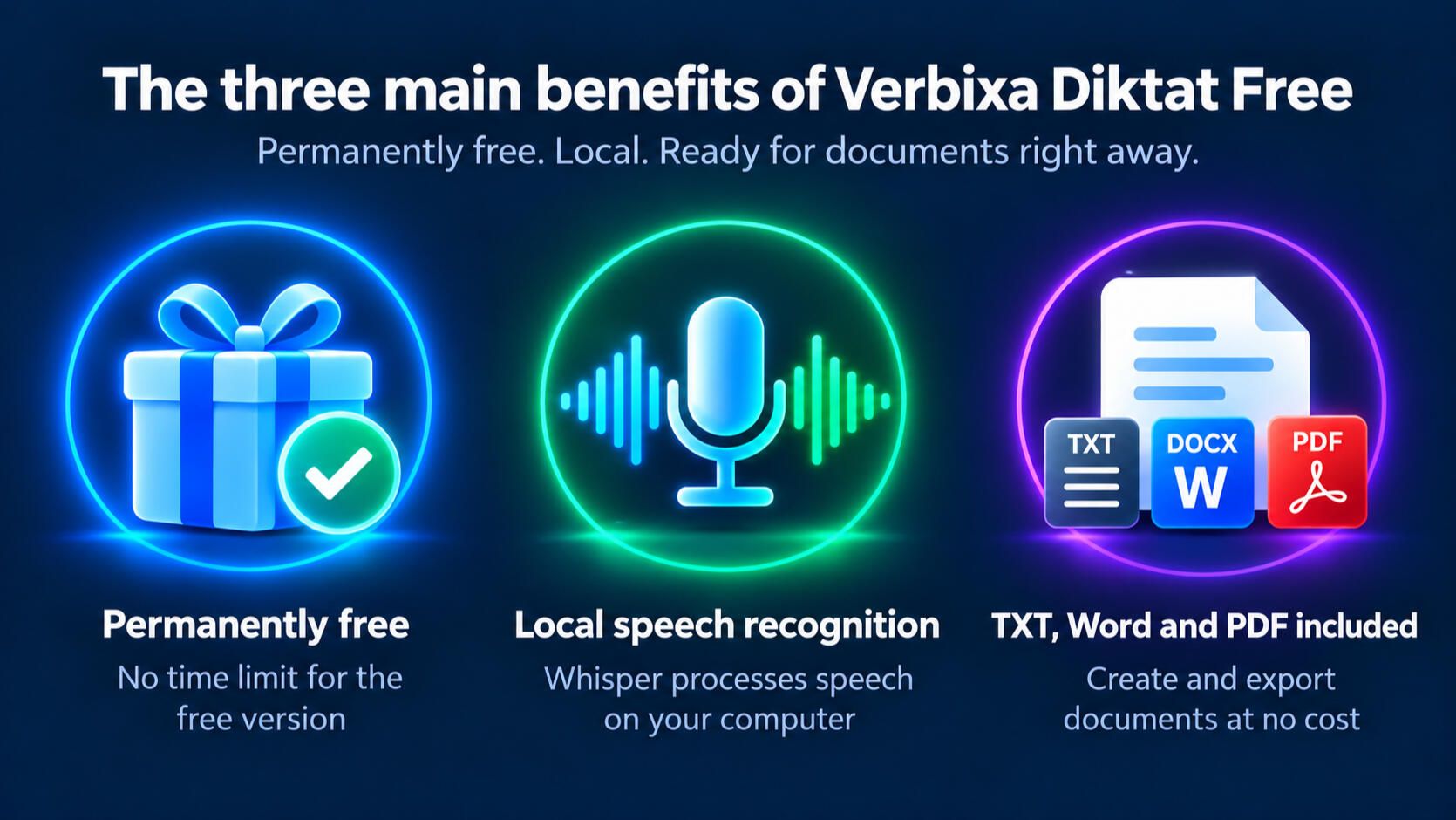
Verbixa Diktat Free Permanently Free · Local Speech Recognition · Word and PDF Export Included
Verbixa Diktat records your speech, converts it into text locally, and turns it into Word or PDF documents. With Diktat Pro, you can also use artificial intelligence to transform your texts into professional reports.
It's That Easy to Turn Your Speech into a Finished Document
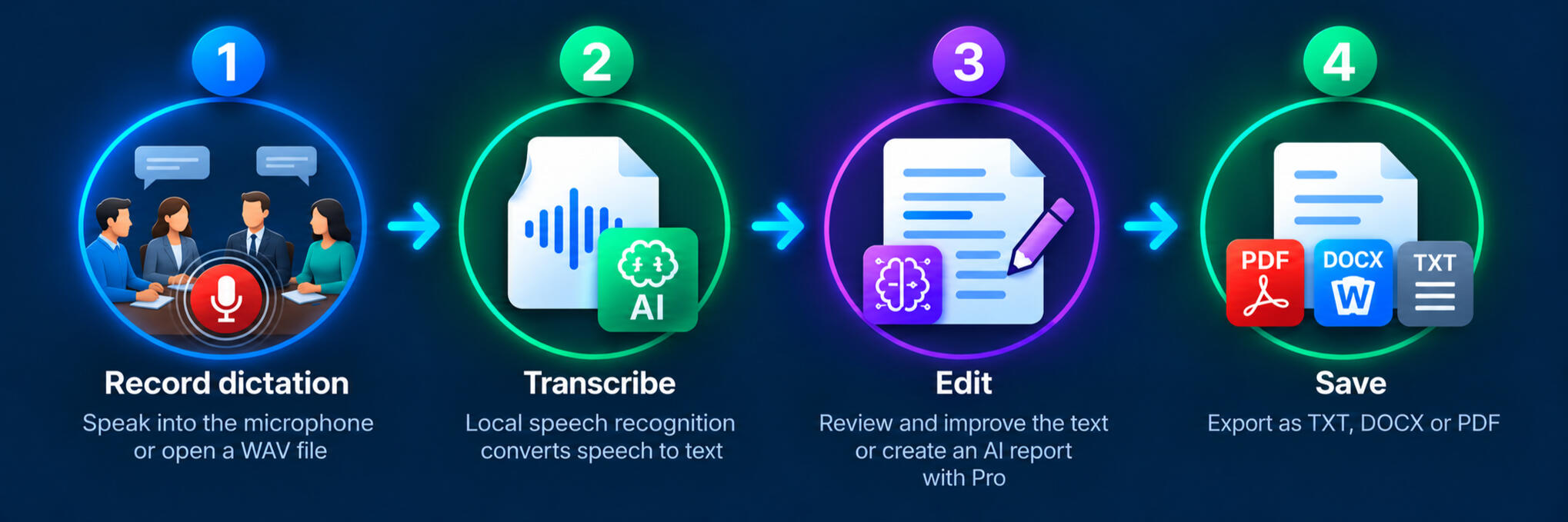
Your thoughts are already fully formed. Why should you still have to type them out?
Many ideas, notes, observations, and technical explanations are easier to express by speaking than by typing. Videos, online lectures, and other audio sources also contain valuable information that is often available only in spoken form.That's exactly where Verbixa Diktat comes in.You can dictate your own texts using a microphone, transcribe existing WAV recordings, or even record your computer's audio output – for example, while playing a YouTube video.Verbixa Diktat uses local speech recognition to convert recorded content into editable text. You can then review, correct, and save the text as a TXT, Word, or PDF document.With Diktat Pro, you can also use artificial intelligence to structure, refine, and transform your transcribed content into professional reports.
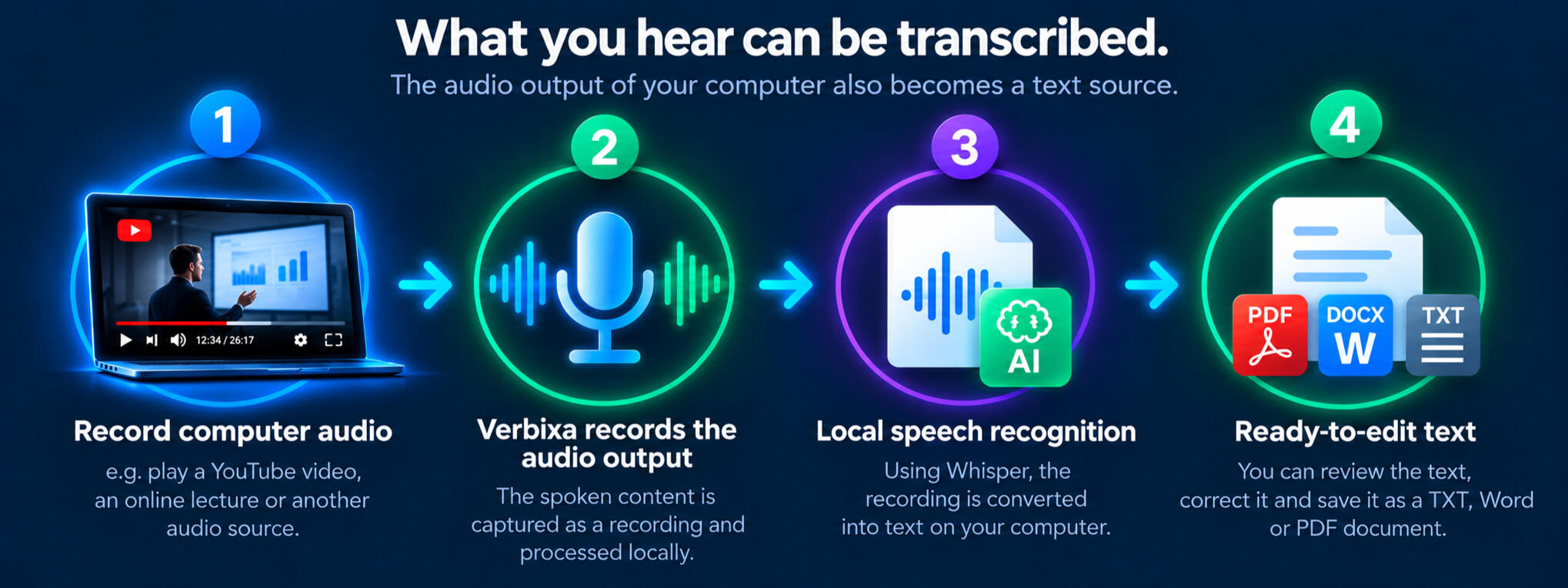
An interesting lecture on YouTube? A technical explanation in a training video? Or a spoken tutorial you’d like to review later?Verbixa Diktat can also use your computer’s audio output as a recording source. While a video or other audio source is playing, you can record the spoken content and then transcribe it locally.This transforms information you might otherwise hear only once into editable text that you can save, document, and use in your future work.
Dictate for Free. Transcribe for Free. Create Documents for Free.
With Verbixa Diktat Free, you get a powerful Windows application that converts spoken language into editable text and lets you create finished documents.You can dictate directly through your microphone, process existing WAV files, or record your computer's audio output. Speech recognition runs locally on your computer.You can then review, correct, and save the transcribed text as a TXT, Word, or PDF document.And all of this is permanently free – with no time-limited trial and no Pro license required.
Verbixa Diktat Pro – Turn Spoken Ideas into Professional Reports
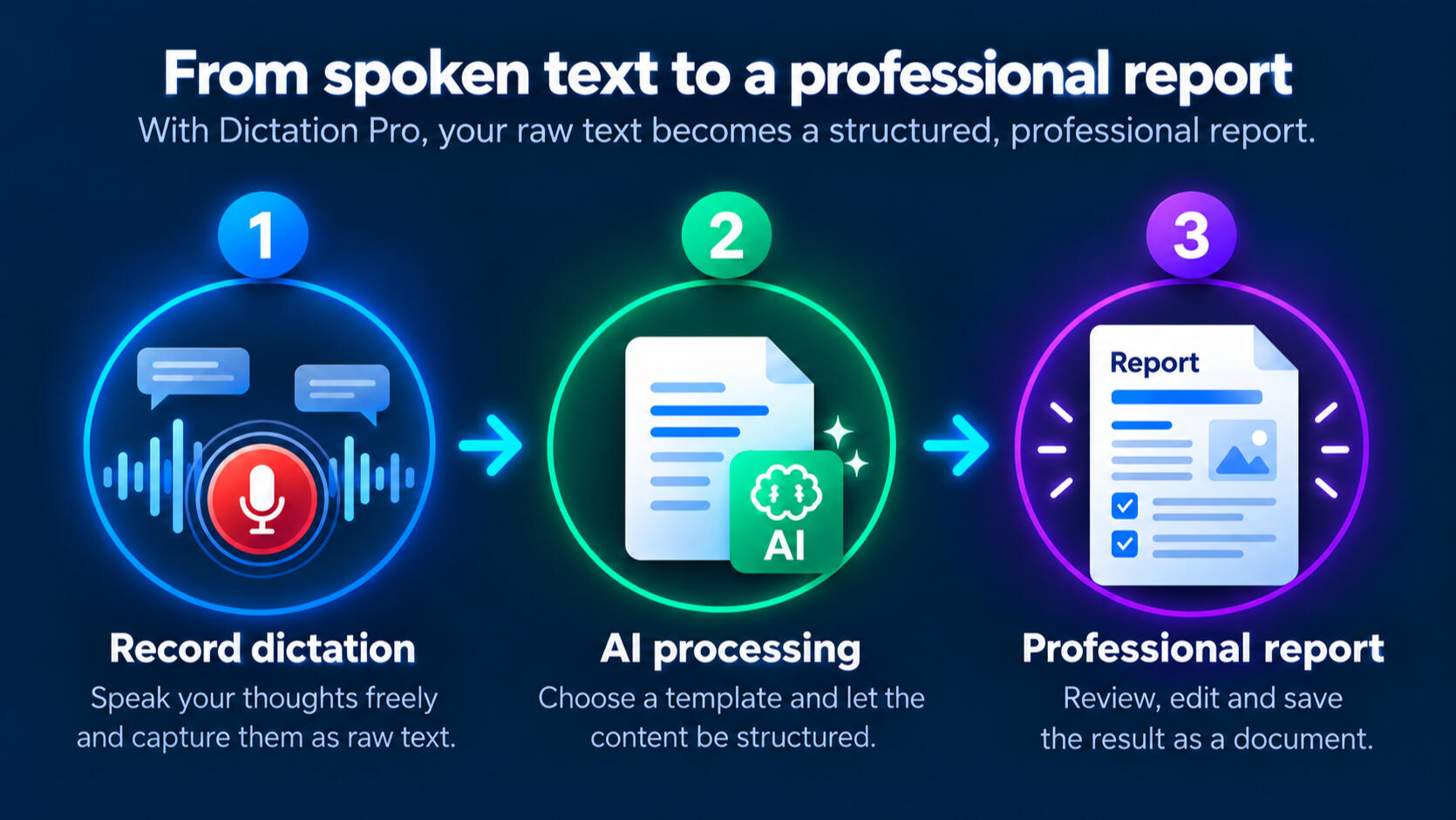
Your dictation is just the beginning.With Verbixa Diktat Pro, your spoken words become more than just a simple transcription.Using artificial intelligence, you can refine your writing, organize your content into a clear structure, and turn it into professional reports, work instructions, emails, or other documents.Eleven built-in AI report templates help you tailor your content to specific purposes. You can then review, edit, and progressively refine the results.
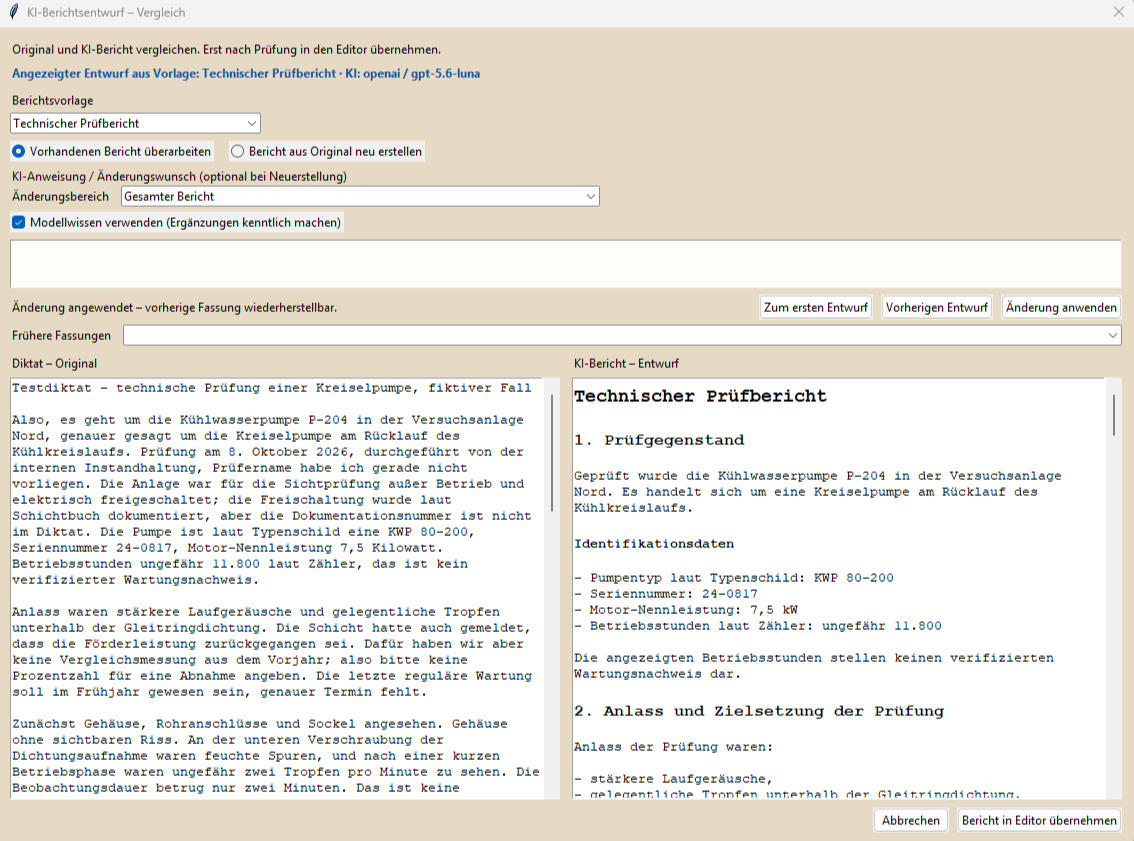
Your Report. Your Control.AI creates the draft – you decide on the final result.A great report rarely comes together in a single step. That's why Verbixa Diktat Pro lets you continue editing and refining your generated texts with the help of artificial intelligence.Have the AI improve wording, reorganize sections, or add further explanations. You can then review the results and adjust them to meet your specific requirements.With the proprietary VXD document format, you can save edited versions of your documents and reopen them later to continue working.This ensures that your report remains fully editable and under your control, even after the initial AI-generated draft.
Eleven AI Report Templates for Different Tasks
Choose the Right Template – Verbixa Handles the Structured Content Creation.
Not every document serves the same purpose. A technical inspection report requires a different structure than an email, a work instruction, or a scientific report.That's why Verbixa Diktat Pro provides eleven built-in AI report templates. They help you transform spoken content into the appropriate document format for your specific needs.Simply select the desired template. Verbixa processes your original text using the corresponding instructions and generates a structured draft that you can then review, edit, and refine further.
What Can Free Do? What Additional Features Does Pro Offer?
What Can Free Do? What Additional Features Does Pro Offer?
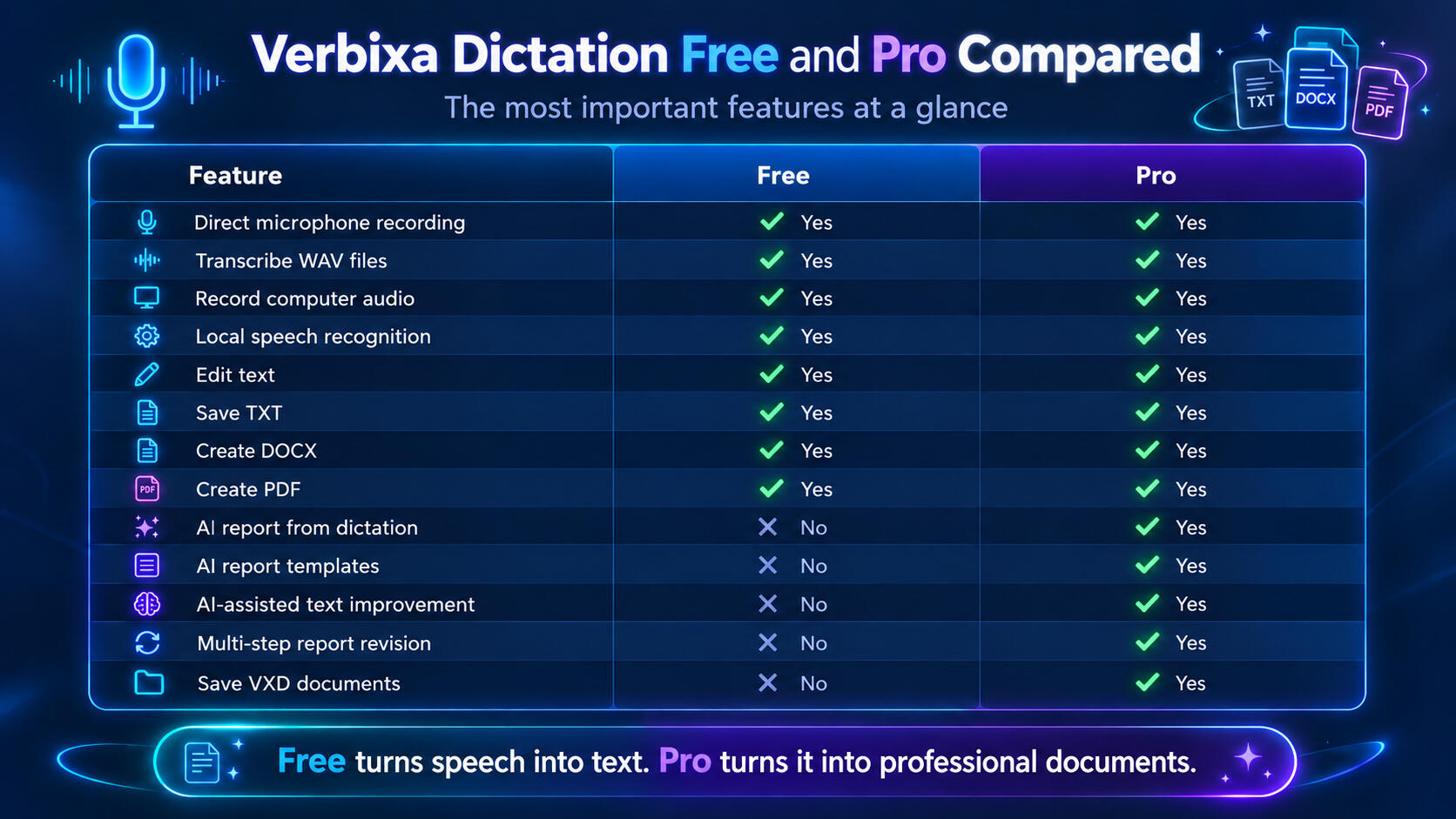
Verbixa Diktat Free is ideal if you want to reliably convert speech into text and create ready-to-use documents.With Diktat Pro, you can take this workflow further with AI-powered report generation, built-in templates, multi-step refinement, and professional document editing.
Get Started Easily – Free or with Pro
Download Verbixa Diktat and start using speech recognition right away.
Verbixa Diktat Free is permanently free to use. You can record your own dictations, transcribe existing audio recordings, and save the results as TXT, Word, or PDF documents.If you also want to use AI-powered report generation, eleven built-in report templates, and professional document editing, you can try the advanced features of Diktat Pro.
Try Diktat Pro Free for 14 Days
After the trial period, the Pro features can be permanently unlocked with the appropriate license. A valid Verbixa Studio Professional license can also unlock the full range of Pro features.The core features of Verbixa Diktat Free remain permanently free, regardless of your Pro license status.
Diktat Free – Permanently Free · Try Pro Features Free for 14 Days
Technical Requirements and Data Privacy
Local Speech Recognition. Transparent AI Processing.Verbixa Diktat uses Whisper technology to convert spoken language into text locally. The transcription process runs directly on your Windows computer, without requiring an external AI text service.For the advanced AI features of Diktat Pro, you can use a configured external AI provider. In this case, the text intended for processing is transmitted to the selected service.Using these cloud-based AI services requires an internet connection and a properly configured account. Additional usage fees may apply, depending on the provider.The speed of local speech recognition depends on several factors, including your computer's processing power and the Whisper model being used.
Frequently Asked Questions
What Is Verbixa Diktat?
Verbixa Diktat is a Windows application that converts spoken language into editable text. You can record your own dictations, transcribe existing WAV files, or capture your computer's audio output.You can then edit the transcribed text and save it as a TXT, Word, or PDF document.With Verbixa Diktat Pro, you can also use artificial intelligence to refine and structure your texts and turn them into professional reports.
Is Verbixa Diktat Free Really Free Forever?
Yes. Verbixa Diktat Free is not a time-limited trial version. You can use its core recording, transcription, and document creation features permanently at no cost.These include local speech recognition, text editing, and exporting documents in TXT, DOCX, or PDF format.A license is only required for the advanced AI features of Diktat Pro.
Can I Create Word and PDF Documents Without a Pro License?
Yes. Creating Word and PDF documents is already included in the free features of Verbixa Diktat Free.You can edit your transcribed text and then save it directly as a DOCX or PDF file.Neither a Pro license nor saving your document in a special Verbixa file format beforehand is required.
What Audio Sources Can Verbixa Diktat Process?
Verbixa Diktat supports several ways to capture spoken content.You can dictate directly using a connected microphone, open existing WAV files, or use your computer's audio output as a recording source.This makes the application suitable for both recording your own dictations and transcribing previously recorded speech or audio played back on your computer.
Can Verbixa Diktat Also Record Audio from a YouTube Video?
Yes. Verbixa Diktat can record your computer's audio output, provided the appropriate recording source is available and configured in Windows.This allows you to record a lecture, tutorial, or training video while it is playing and then transcribe the spoken content.You do not need to download the YouTube video directly. The application processes the recorded audio signal.When reusing third-party content, applicable copyright laws and usage rights must be respected.
Are My Voice Recordings Processed Locally?
Yes. Verbixa Diktat uses Whisper technology for local speech recognition.The audio recording is converted into text directly on your computer, provided the required speech recognition model is available locally. For this basic transcription process, the recording does not need to be transmitted to an external AI text service.For the additional AI features of Diktat Pro, it is important to distinguish between local speech recognition and processing performed by a configured AI provider.
Do I Need an Internet Connection to Use Verbixa Diktat?
A continuous internet connection is not required for local speech recognition, provided the necessary Whisper models are already installed on your computer.An internet connection may be required to download the necessary components initially.If you use an external cloud-based AI provider in Diktat Pro for report generation or text editing, you will also need an internet connection and a properly configured account.
What Languages Does Verbixa Diktat Support?
The Verbixa Diktat user interface is available in German, English, and Czech.For AI-powered document creation, you can select a separate output language. This allows you, for example, to create reports in another supported language from a dictation originally spoken in German.The available output languages depend on the application's features and configuration.
What Additional Features Does Verbixa Diktat Pro Offer?
Diktat Pro expands the free speech recognition features with powerful AI-powered document creation capabilities.You can turn dictations into structured reports, improve wording, reorganize text, and add further explanations.Eleven built-in AI report templates are available for these tasks. Pro also supports multi-step report refinement, advanced document editing, and saving editable document versions in the VXD format.All the core features of the Free version are also fully included in Pro.
What Types of Reports Can I Create with Diktat Pro?
Verbixa Diktat Pro offers eleven built-in AI report templates for different applications.These include technical inspection reports, error reports, work instructions, meeting reports, scientific reports, popular science articles, and emails.Simply select the desired template. The AI processes your original transcribed text according to the selected document type and generates a structured draft.You can then review and edit the result.
Can I Edit an AI-Generated Report Afterward?
Yes. AI-powered report generation is not limited to a single draft.You can continue editing an existing report and use artificial intelligence to refine it further.For example, you can improve wording, change the structure, request additional explanations, or clarify specific statements.This allows you to develop a document step by step until it meets your requirements.
Can AI Add Additional Information to a Report?
Yes. When generating reports, Diktat Pro can draw on both your own input and the general knowledge of the selected AI model.This allows the AI to explain technical concepts or add relevant background information, for example.However, this additional content does not come from your original dictation. AI-generated additions should therefore be checked for accuracy, especially in technical, scientific, or other specialized documents.The user remains responsible for the technical accuracy of the final document.
What Is the VXD Document Format?
VXD is Verbixa Diktat Pro's proprietary document format.It allows you to save an edited version of a document and reopen it later in the application. For example, you can create an AI-generated report, revise it, save it as a VXD file, and continue editing it another day.The VXD format is designed for document editing and is not a complete audio or transcription archive. Original audio recordings should therefore be saved separately if you want to keep them.VXD is available exclusively in Diktat Pro. Free exports to TXT, DOCX, and PDF remain available independently of this feature.
Which AI Providers Can I Use with Diktat Pro?
Diktat Pro provides settings for connecting to a supported AI provider and selecting an appropriate language model.Tested workflows include report generation using OpenAI models.Depending on the selected provider, a separate account, an API key, and usage-based fees may be required.The local speech recognition features of Verbixa Diktat Free operate independently of these external AI services.
Can I Try Verbixa Diktat Pro Before Purchasing?
A separate 14-day trial is planned for Verbixa Diktat Pro.This allows you to explore the advanced features for AI-powered report generation and document editing.After the trial period ends, you can permanently unlock the Pro features by purchasing the appropriate license.The core features of Verbixa Diktat Free remain permanently available at no cost, regardless of whether you have a Pro license.
Is Verbixa Diktat a Standalone Application or Part of Verbixa Studio?
Verbixa Diktat is a standalone Windows application specifically designed for recording and transcribing spoken language and creating documents from the resulting text.At the same time, the application is part of the Verbixa product family and is designed to work seamlessly with Verbixa Studio.A valid Verbixa Studio Professional license can also unlock the Pro features of Verbixa Diktat.You can therefore use Verbixa Diktat either as a standalone application or alongside Verbixa Studio.
© 2026 Mathias Scholz — Verbixa-Project
Made for creators, researchers & professionals.
Datenschutzerklärung
1. Verantwortlicher
Verantwortlich für diese Website ist:Mathias Scholz
E-Mail: [email protected]
2. Hosting
Diese Website wird über Carrd.co bereitgestellt. Beim Besuch der Website werden durch Carrd.co bzw. die eingesetzten Hosting-Dienstleister automatisch technische Informationen (Server-Logfiles) verarbeitet. Hierzu können insbesondere gehören:
IP-Adresse
Datum und Uhrzeit des Zugriffs
Browsertyp und Browserversion
verwendetes Betriebssystem
aufgerufene Seiten
Referrer-URL
Die Verarbeitung erfolgt zur Bereitstellung, Sicherheit und Stabilität der Website.
3. Kontakt per E-Mail
Wenn Sie mich per E-Mail kontaktieren, werden die von Ihnen übermittelten personenbezogenen Daten ausschließlich zur Bearbeitung Ihrer Anfrage oder Ihres Feedbacks verwendet.Eine Weitergabe an Dritte erfolgt nicht, sofern keine gesetzliche Verpflichtung besteht.
4. Downloads
Der Download der Software wird über GitHub bereitgestellt. Beim Aufruf der Downloadseite oder beim Herunterladen der Dateien können durch GitHub technische Informationen (z. B. IP-Adresse sowie Zugriffs- und Protokolldaten) verarbeitet werden.Es gelten ergänzend die Datenschutzbestimmungen des jeweiligen Anbieters.
5. Ihre Rechte
Sie haben im Rahmen der gesetzlichen Bestimmungen insbesondere folgende Rechte:
Auskunft über Ihre gespeicherten personenbezogenen Daten,
Berichtigung unrichtiger Daten,
Löschung Ihrer Daten,
Einschränkung der Verarbeitung,
Widerspruch gegen die Verarbeitung sowie
Beschwerde bei einer zuständigen Datenschutzaufsichtsbehörde.
6. Änderungen dieser Datenschutzerklärung
Ich behalte mir vor, diese Datenschutzerklärung bei Bedarf anzupassen, um sie an geänderte rechtliche oder technische Anforderungen anzupassen.